























Alpha v3.5.0

Eggcentric

Auto-blast the alien horde

Eggcentric is an arena shooter roguelite. Pick an egg and fight off aliens with weapons that aim and fire on their own. Play Survival in 2D or 3D, or take a 3D Adventure through the Rocklands.

Download for Windows656 MB

Also available for macOS and Linux.

Eggcentric is in alpha. Try it now for free. It is coming to Steam soon, and the Steam page will be posted here when it is ready.

Free alphaComing to SteamWindows, Mac, Linux and Steam DeckKeyboard and mouse or controllerOnline co-op for up to 4

Game modes

Survival and Adventure

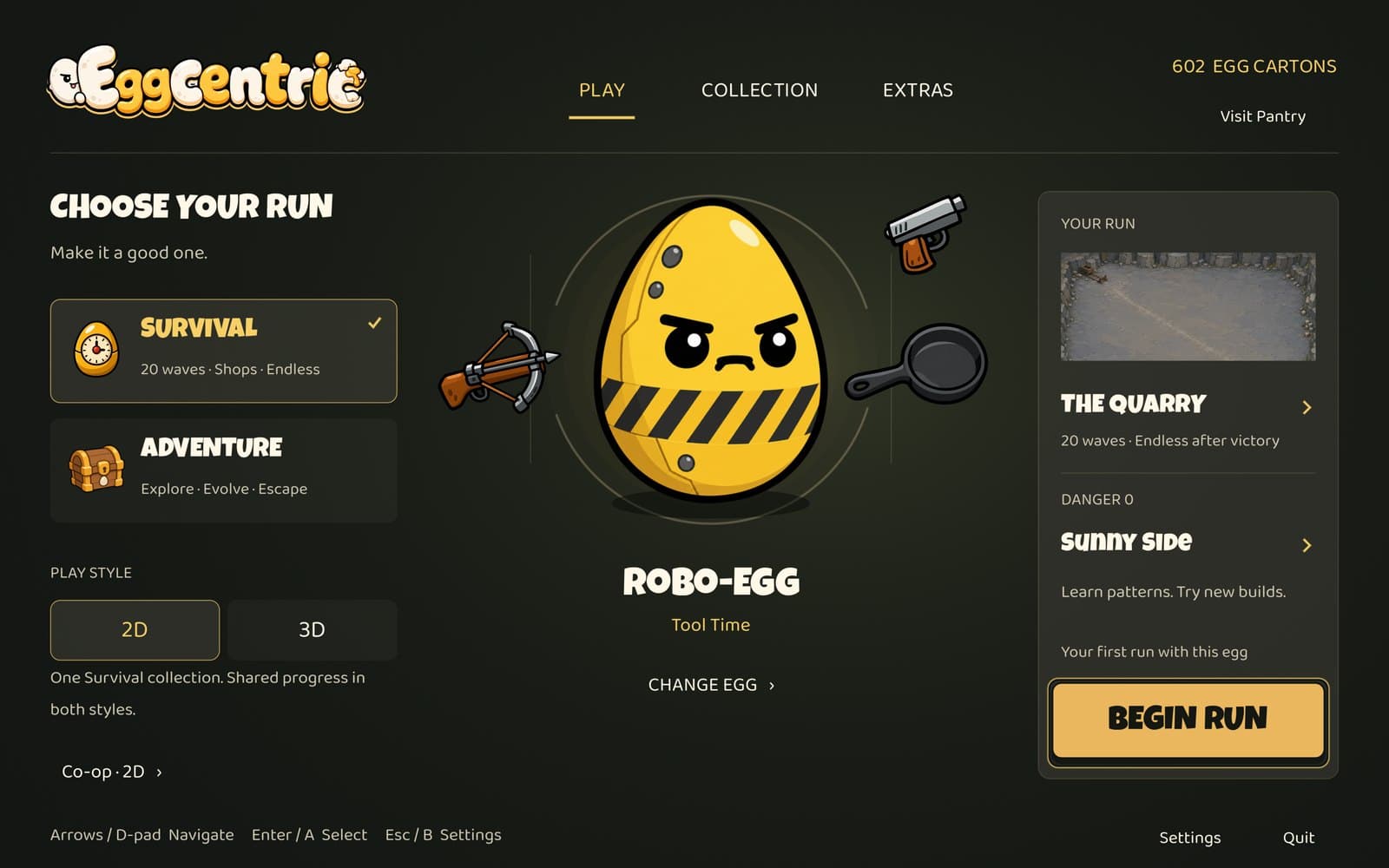
Every run starts in the Hatchery. Pick an egg, then choose Survival or Adventure. 2D and 3D Survival share one collection, so your unlocks, Pantry upgrades and Egg Cartons carry across both styles.

The Hatchery home screen with Survival and Adventure, a 2D or 3D play style toggle, and Co-op
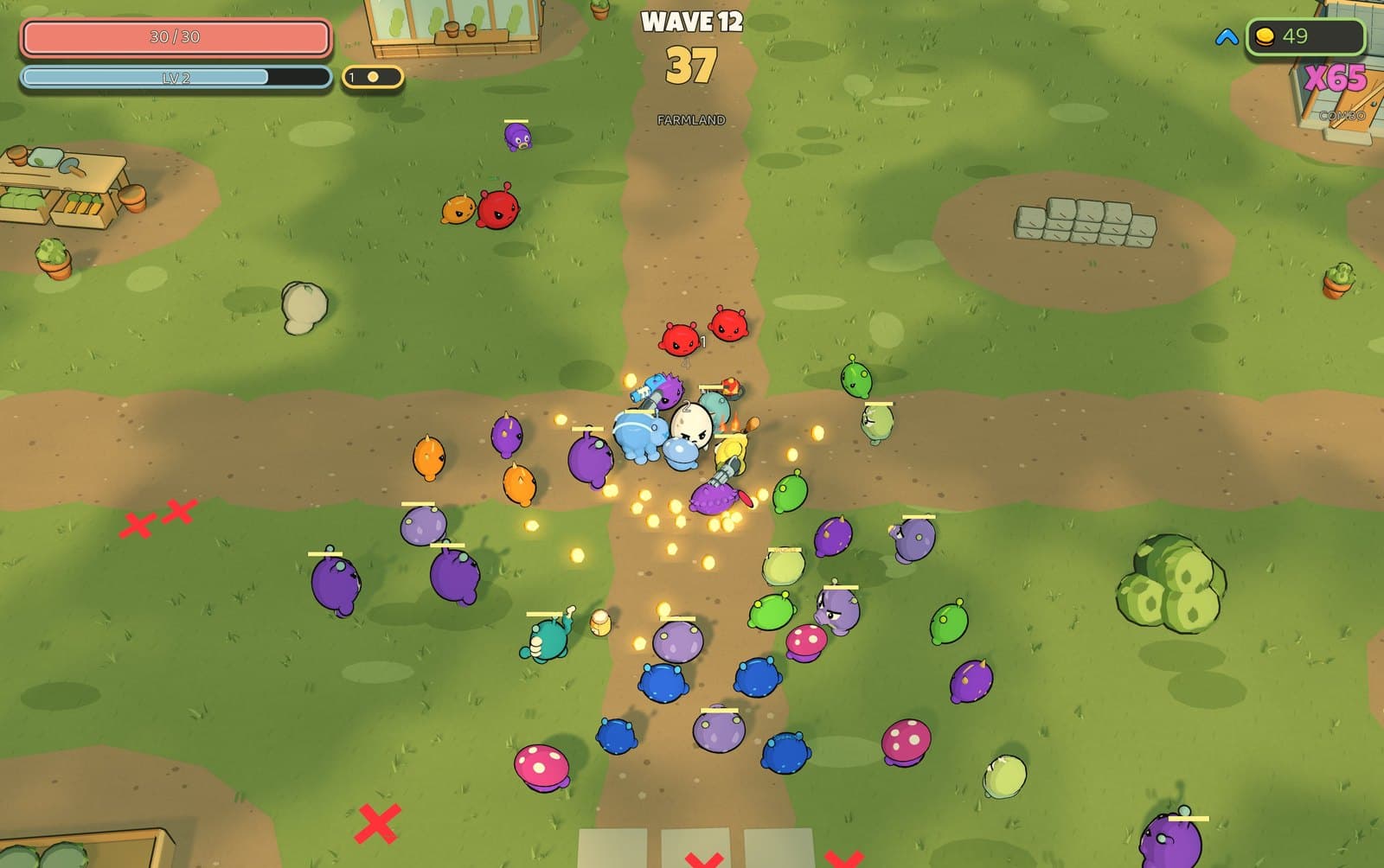
  • 3D Survival on the Farmland with a crowd of aliens around the egg
    3D Survival, Farmland

    Survival

    2D or 3D

    20 waves · Shops · Endless

    • Survive 20 timed waves and spend your gold in the shop between them.
    • Boss fights on waves 7, 14 and 20.
    • Keep going in Endless mode after a win.
    • Play it in 2D or 3D. All five arenas are in both.
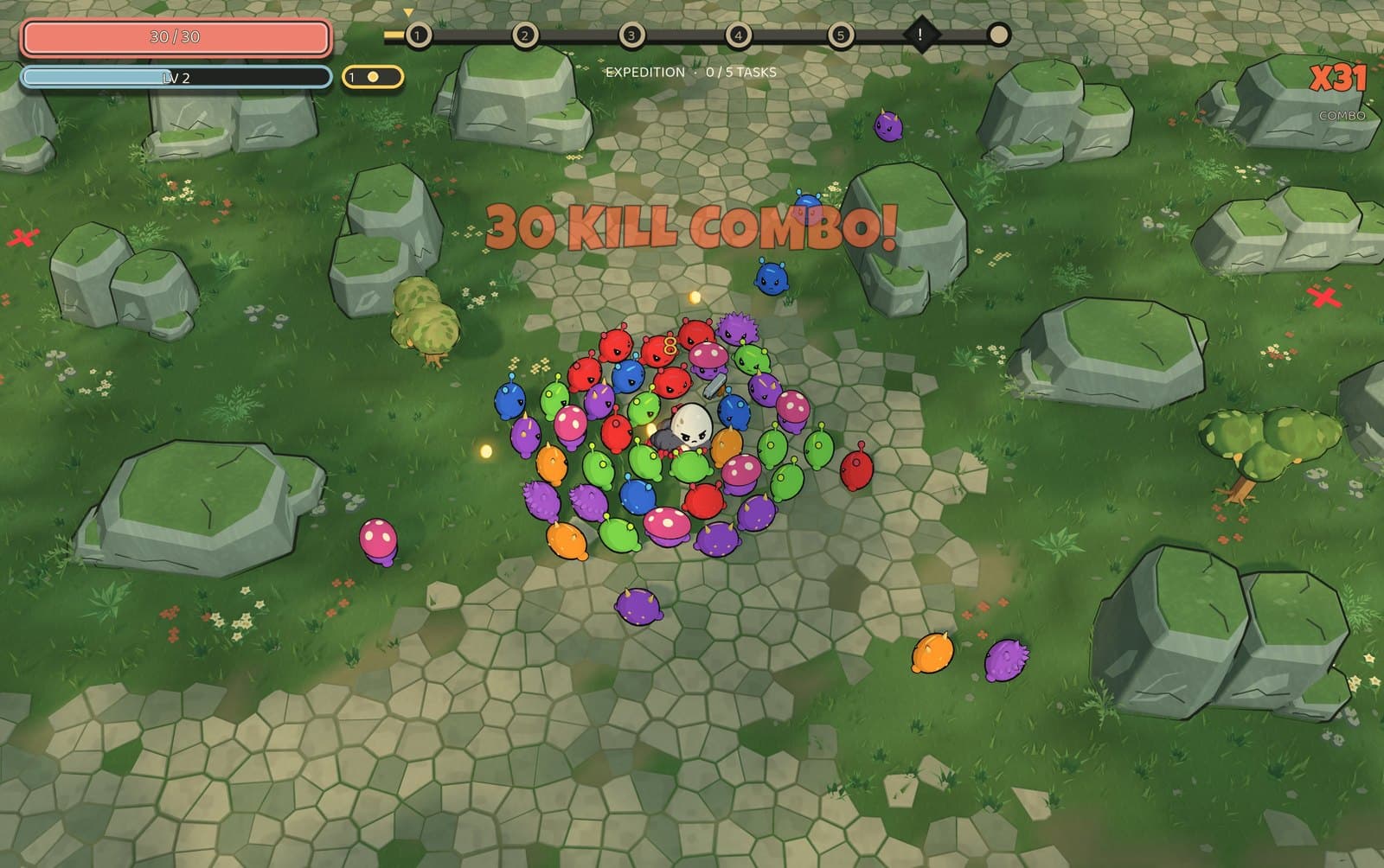
  • Adventure mode in the Rocklands with a ring of aliens around the egg
    Adventure, Rocklands

    Adventure

    3D

    Explore · Evolve · Escape

    • One continuous 12-minute expedition through the Rocklands.
    • Start with your egg's gear. Each level up, pick one of three upgrades, with 3 free rerolls per run.
    • Optional objectives earn elemental coatings and weapon augments.
    • Defeat the final guardian, then survive the extraction horde.

Online co-op

Play 2D Survival with up to four players in a private room. Everyone needs the same game version.

Extras

The Extras tab has a standalone Dungeon Run preview with its own progress.

Playable online demo

Play 2D Survival in your browser

Play as the Egg in the Quarry with every weapon and item unlocked. The full game adds 3D Survival, Adventure, online co-op and all 12 eggs.

Computer: WASD or arrow keys to move, Space to dash, P to pause. Phone: turn it sideways, then use the on-screen stick and Dash button.

Survival

How Survival plays

Your weapons aim and fire automatically, so your job is to keep moving, dash out of trouble, and pick up the gold enemies drop. Between waves you spend that gold in the shop on new weapons, items and upgrades. Survive all 20 waves to win the run, then keep going in Endless if you want. Danger levels 0 to 5 make each run harder.

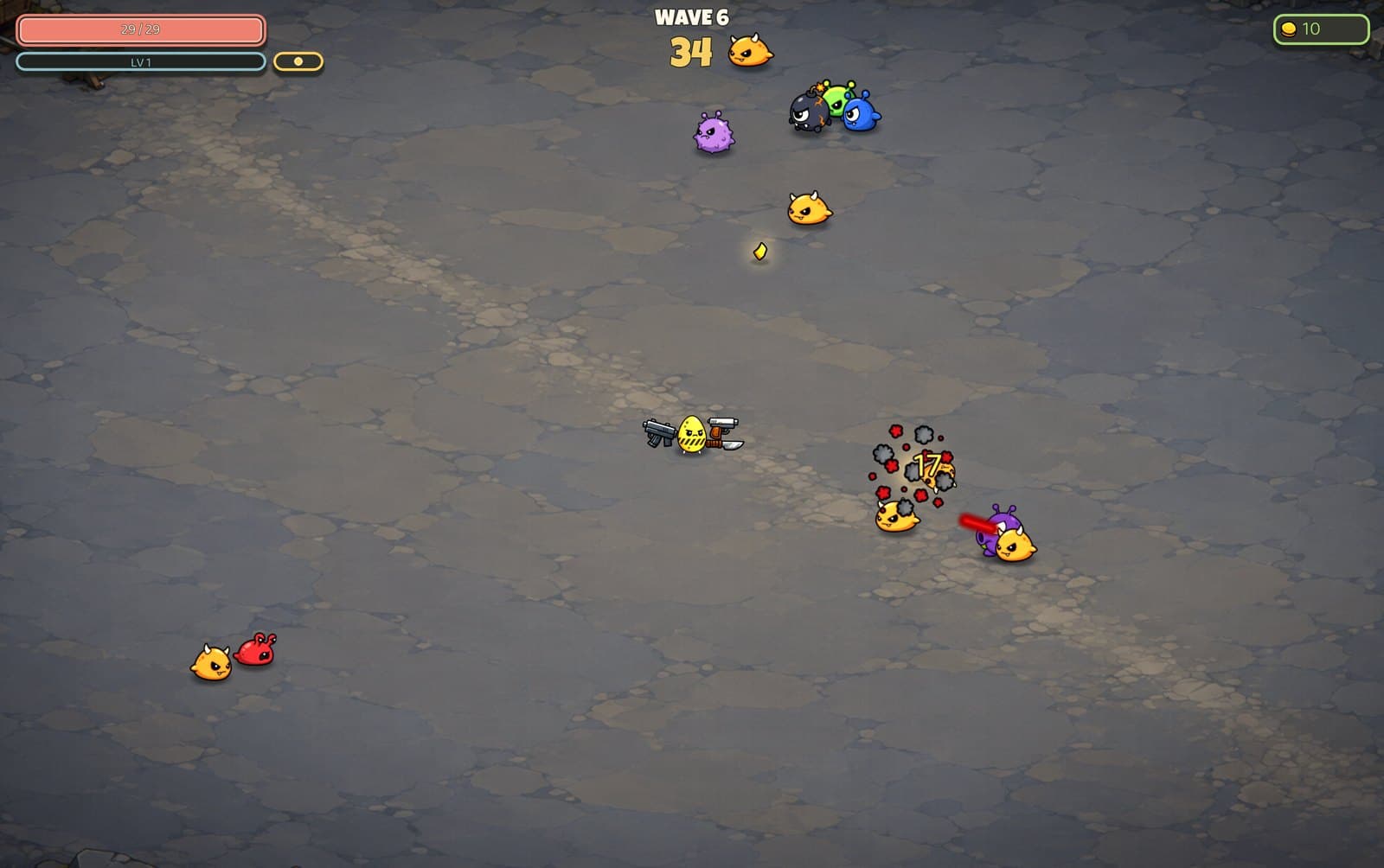
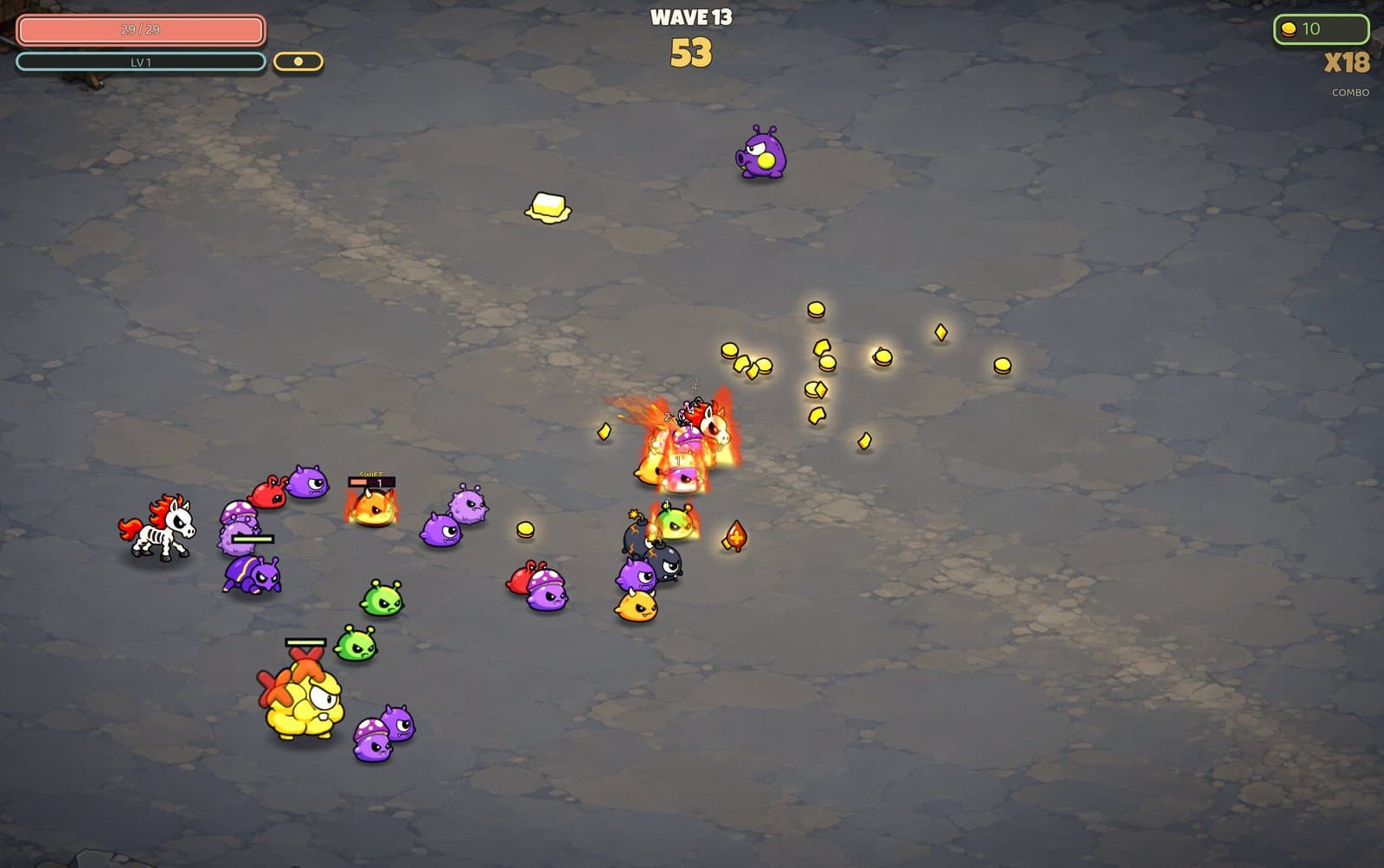
Wave 13 in The Quarry with a swarm of aliens closing in on the egg
Wave 13, The Quarry
  1. 1.Survive the wave

    Each wave runs on a timer. Your weapons fire on their own while you move and dodge. Later waves last longer and spawn more enemies.

  2. 2.Collect gold

    Enemies drop gold when they die. Gold is both your money and your XP, and it gets pulled toward you when you are close.

  3. 3.Level up

    Each level up gives you a choice of stat upgrades. The gold you have collected is still yours to spend in the shop.

  4. 4.Shop between waves

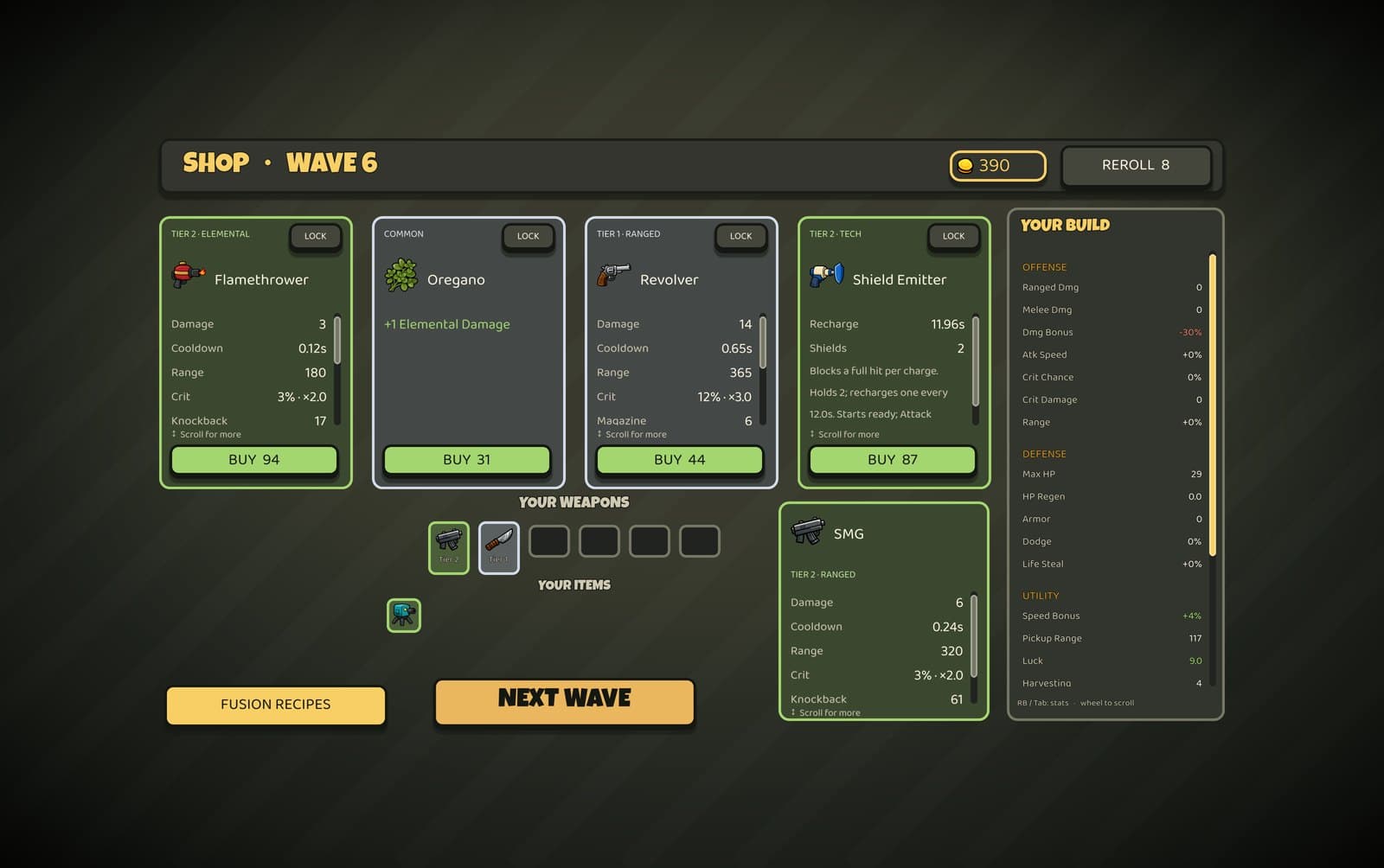
    Buy weapons (up to six at a time) and passive items, reroll the offers, or lock one to buy later. Two of the same weapon combine into a higher tier.

  • 12
    playable eggs
  • 45
    weapons
  • 14
    Legendary fusions
  • 68
    passive items
  • 5
    arenas
  • 86
    achievements

Characters

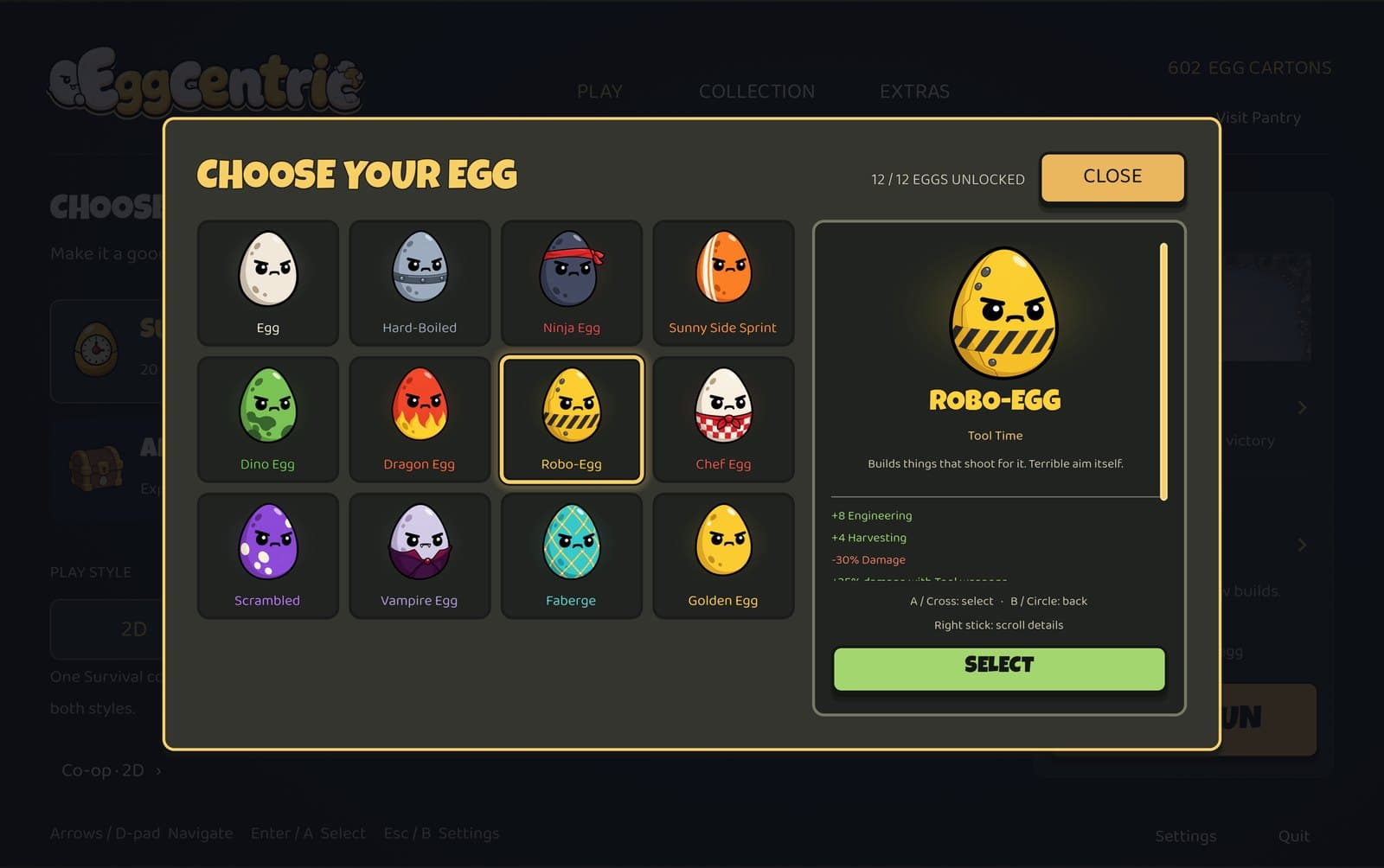
12 playable eggs

Each egg has different starting stats and a rule that changes how the run plays out. The Chef gets shop discounts, the Vampire heals by dealing damage, and the Robo-Egg builds turrets that do the shooting for it. You start with the plain Egg and unlock the rest by playing. Your egg's perks and starting gear come with it into Survival and Adventure.

  • Egg

    Balanced shell. No gimmicks - just blast.

  • Hard-Boiled

    Dense shell. Slow, stubborn, and hits like a brick.

  • Ninja Egg

    Slippery. Dodges everything, blocks nothing.

  • Sunny Side Sprint

    Never stops moving. Thin shell, fast hands.

  • Dino Egg

    Big claws, no guns. Gets in your face.

  • Dragon Egg

    Everything it touches catches fire. Including itself, a little.

  • Robo-Egg

    Builds things that shoot for it. Terrible aim itself.

  • Chef Egg

    Knows a guy. Every shop is a discount shop.

  • Scrambled

    Nobody knows what it'll be next wave. Not even it.

  • Vampire Egg

    Heals by hurting. Honey does nothing for it.

  • Faberge

    Priceless and fragile. Shatters everything before it shatters.

  • Golden Egg

    Rolls in it. Too heavy with coin to hit hard.

The Choose Your Egg screen showing all twelve eggs unlocked

Arenas

5 arenas

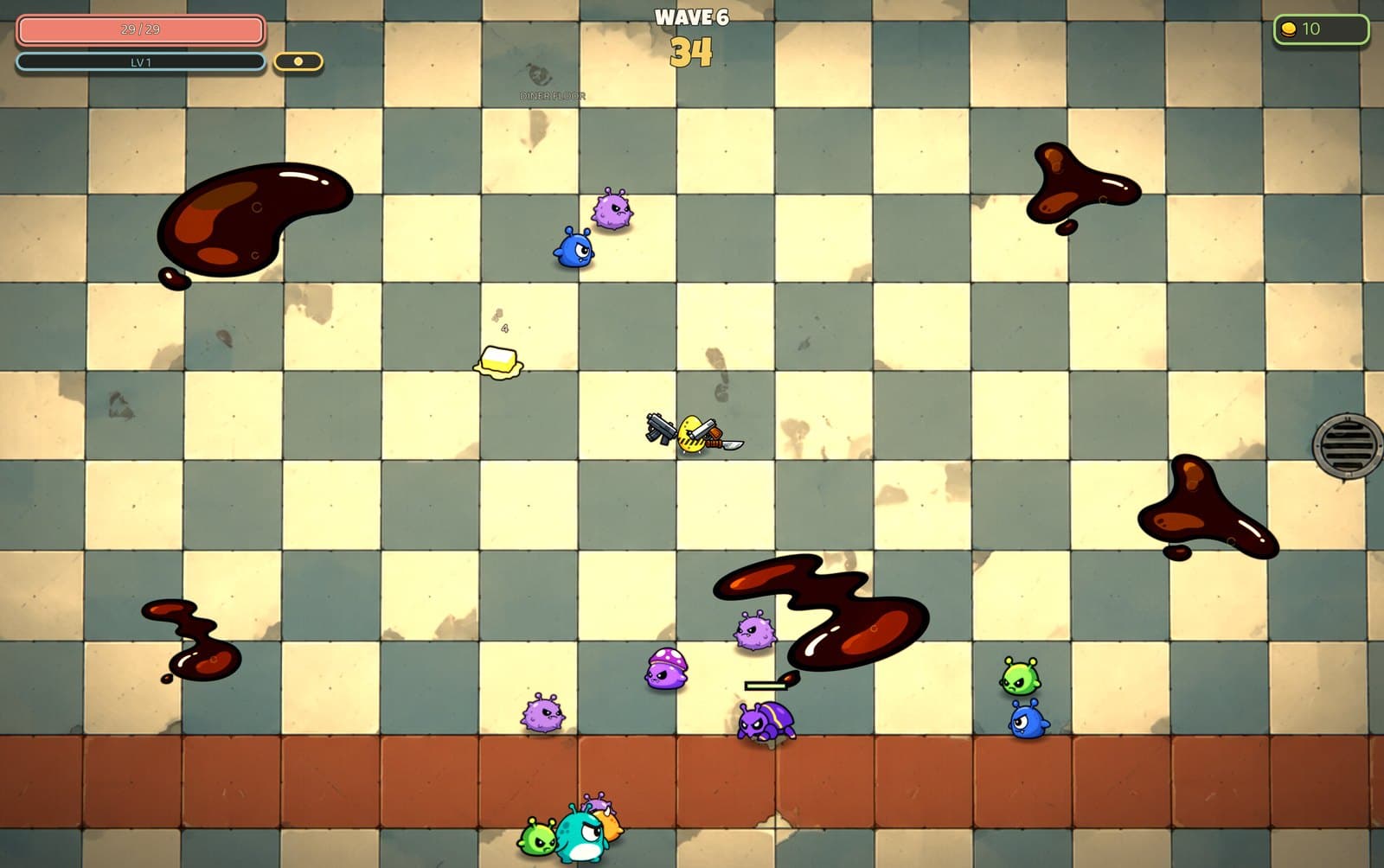
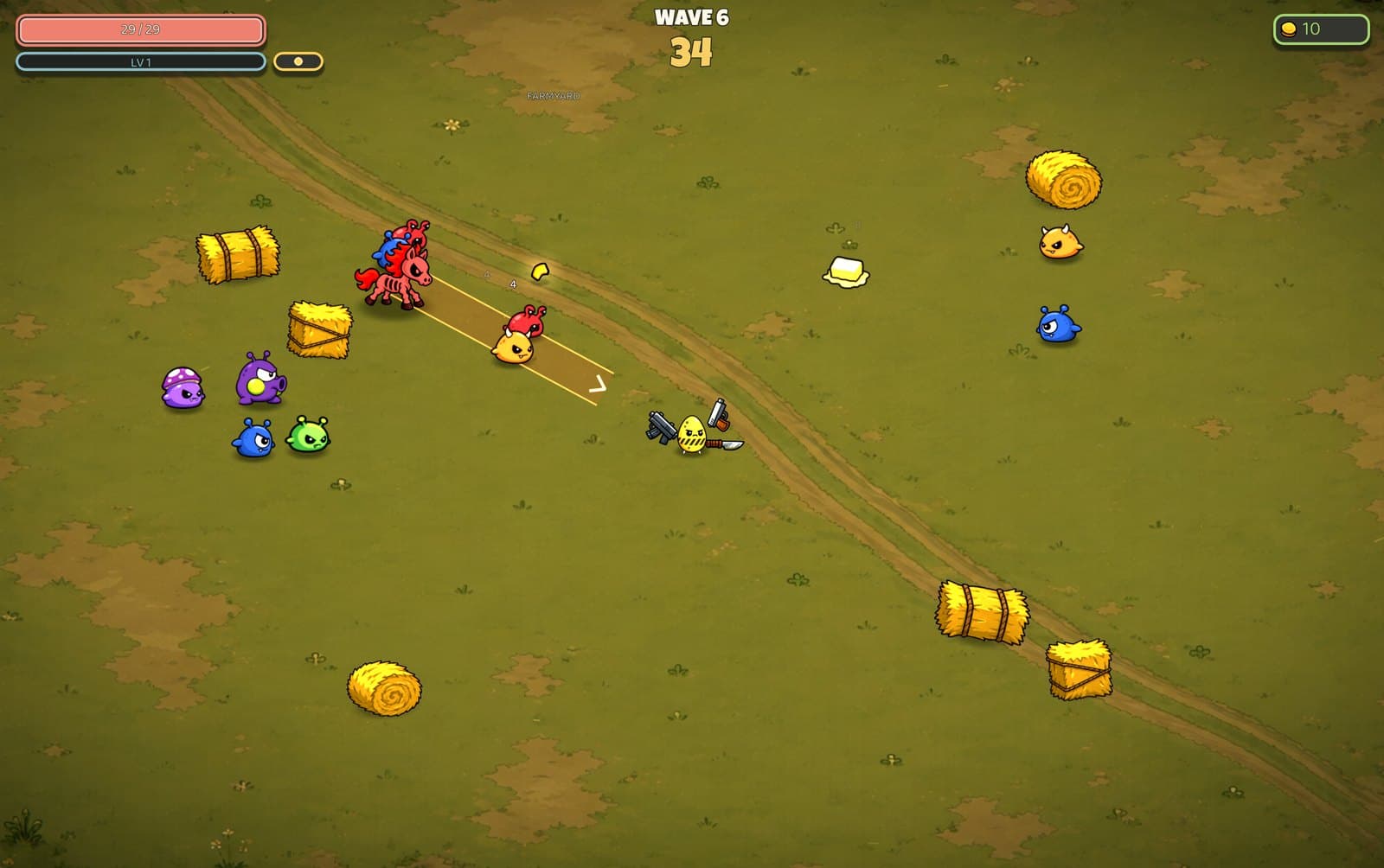
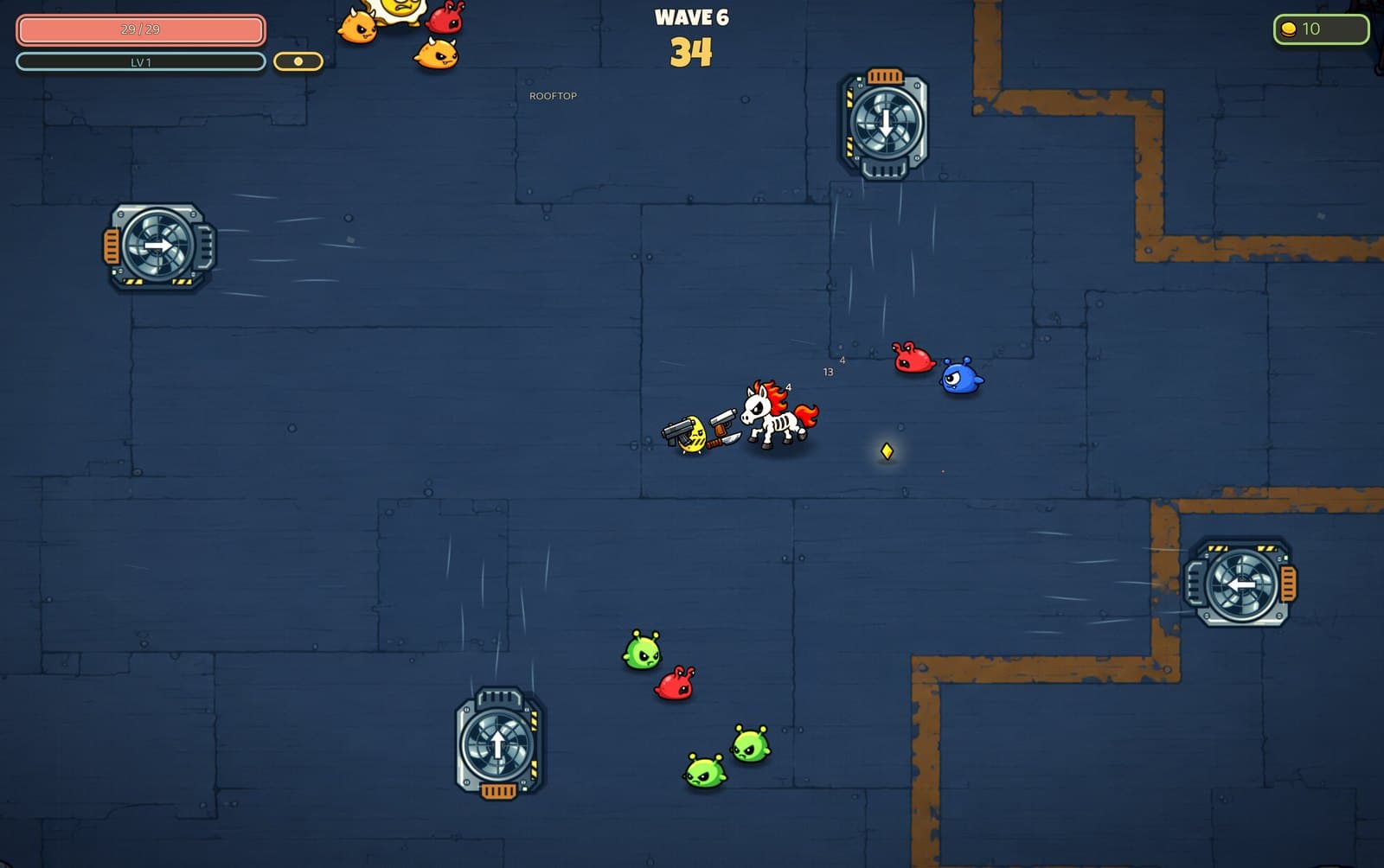
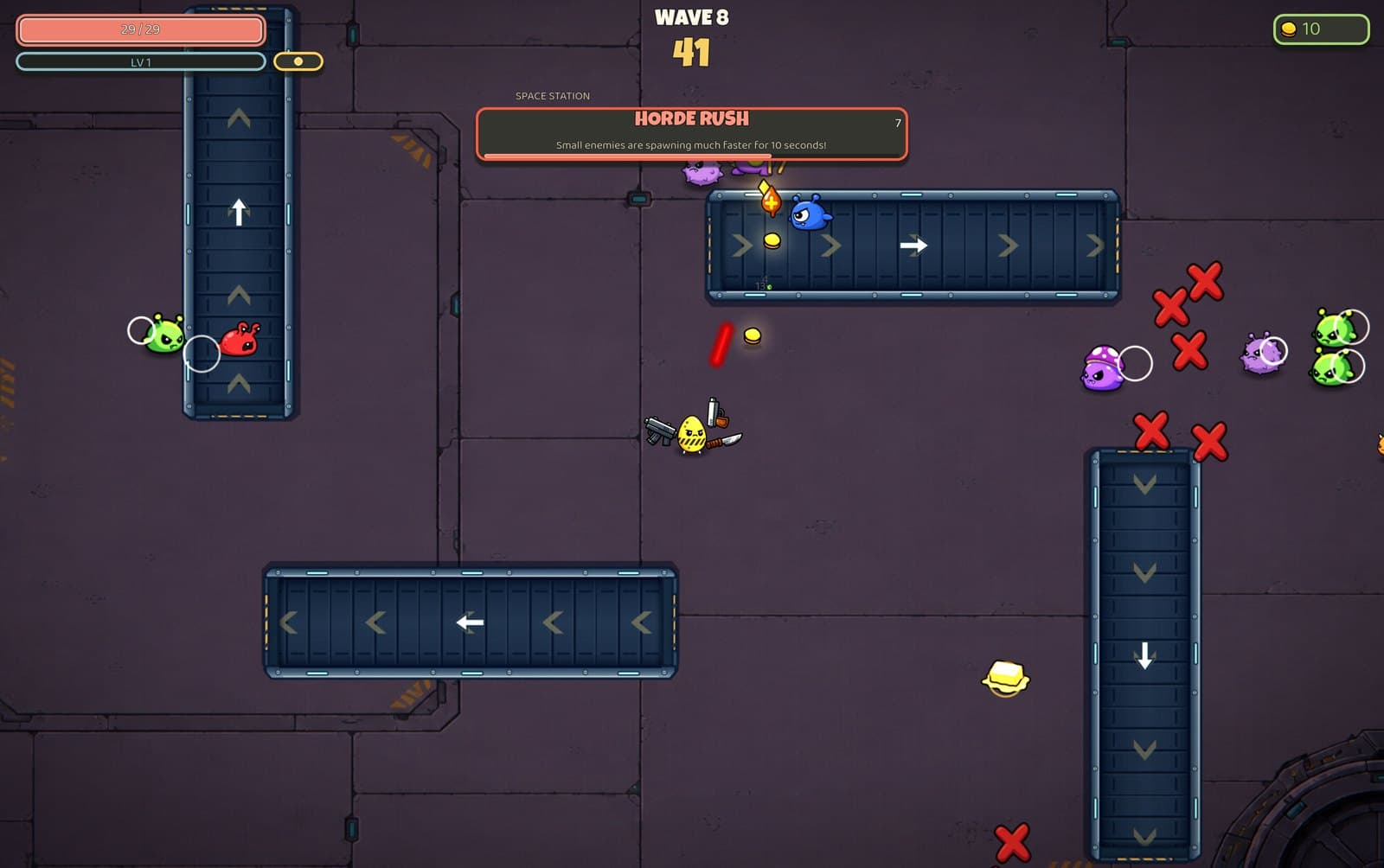
Each Survival arena has its own hazard. Grease on the Diner Floor slows you down, hay bales on the Farmyard block shots, the Rooftop fans push you around, and the Space Station has conveyor belts. The Quarry is unlocked from the start. The rest unlock by winning runs at higher Danger levels. All five are in 2D and 3D Survival.

  • The Quarry: Cracked rock, no surprises.

    The Quarry

    Cracked rock, no surprises.

    Available from the start
  • Diner Floor: Grease slicks slow everyone who steps in them.

    Diner Floor

    Grease slicks slow everyone who steps in them.

    Win a run
  • Farmyard: Hay bales block shots and bodies. Use them as cover - or don't.

    Farmyard

    Hay bales block shots and bodies. Use them as cover - or don't.

    Win on Danger 1
  • Rooftop: Fans turn independently. Yellow arrows warn where the next gust will blow.

    Rooftop

    Fans turn independently. Yellow arrows warn where the next gust will blow.

    Win on Danger 2
  • Space Station: Belts reverse independently. Yellow arrows warn which way they will carry you.

    Space Station

    Belts reverse independently. Yellow arrows warn which way they will carry you.

    Win on Danger 3

Screenshots

In the game

  • The between-wave shop with four offers, a weapon rack and a stats panel

    The shop

    Buy weapons and passive items, reroll the offers, or lock one to buy next wave. Your stats update as you shop.

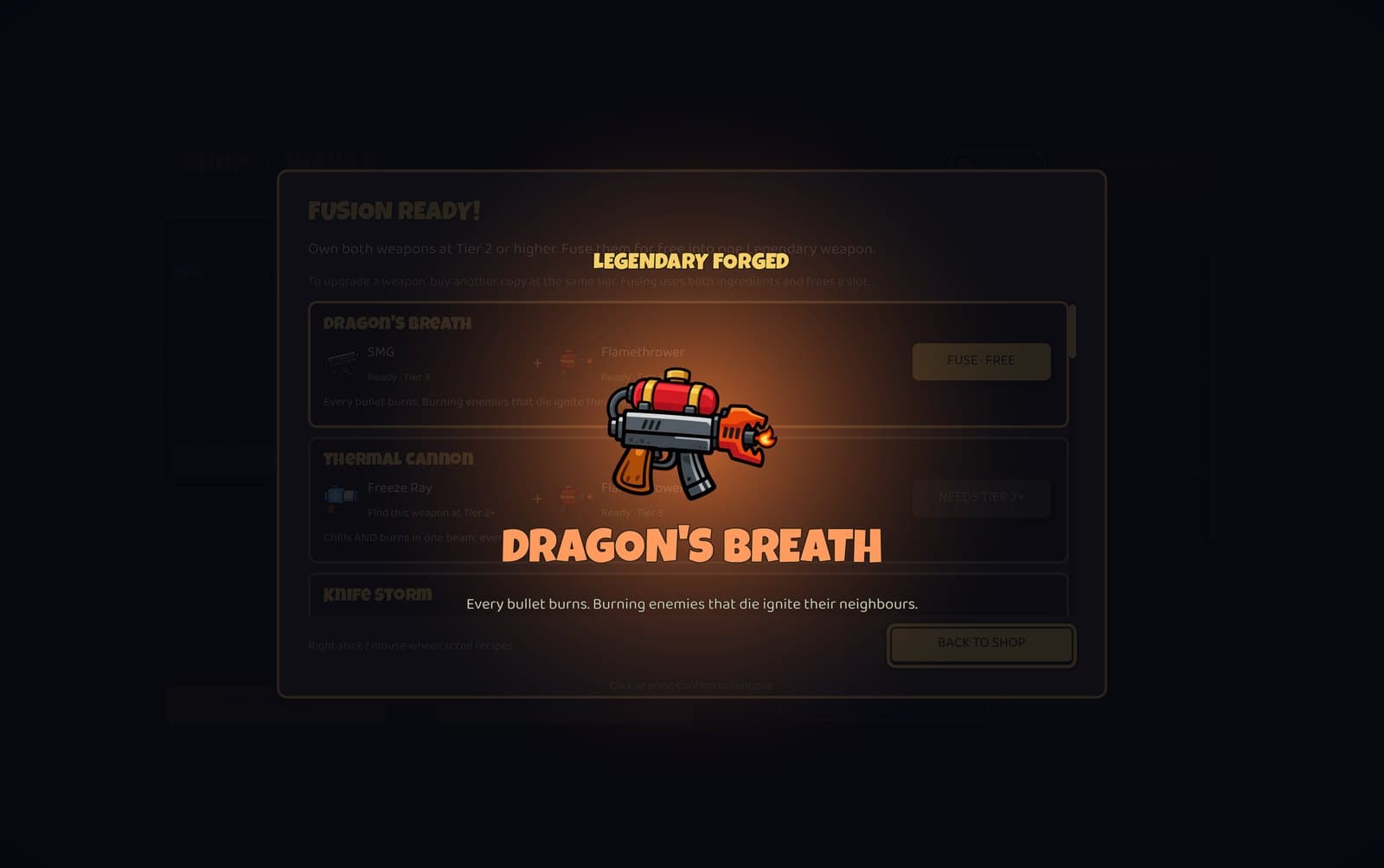
  • Two tier-3 weapons fusing into a new weapon with sparks flying

    Fusion

    Two of the same weapon combine into a higher tier. Some pairs of different weapons fuse into one of 14 Legendary weapons.

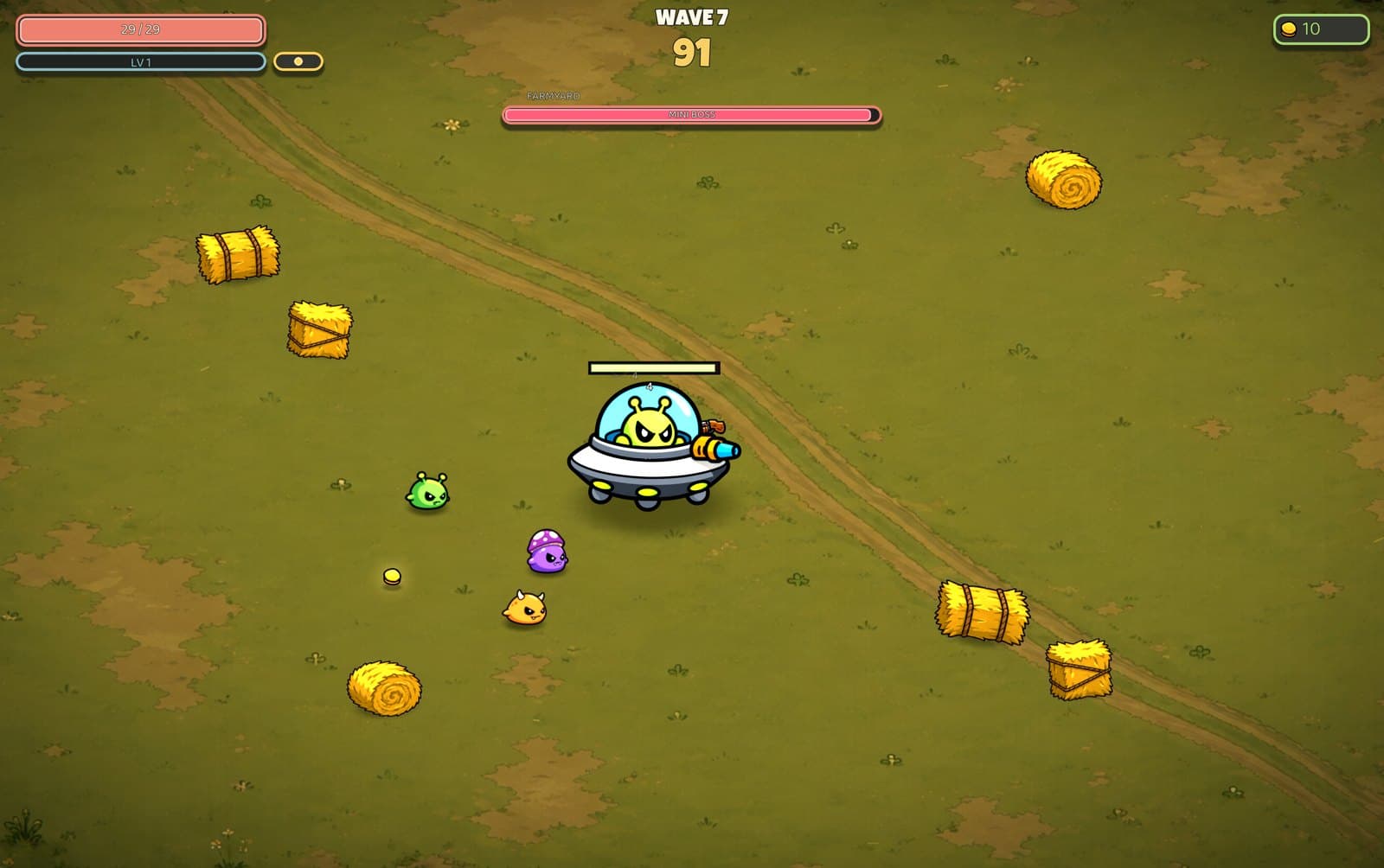
  • The wave 7 mini-boss on the Farmyard

    Mini-bosses

    A mini-boss shows up on wave 7. The wave 20 finale has two at once.

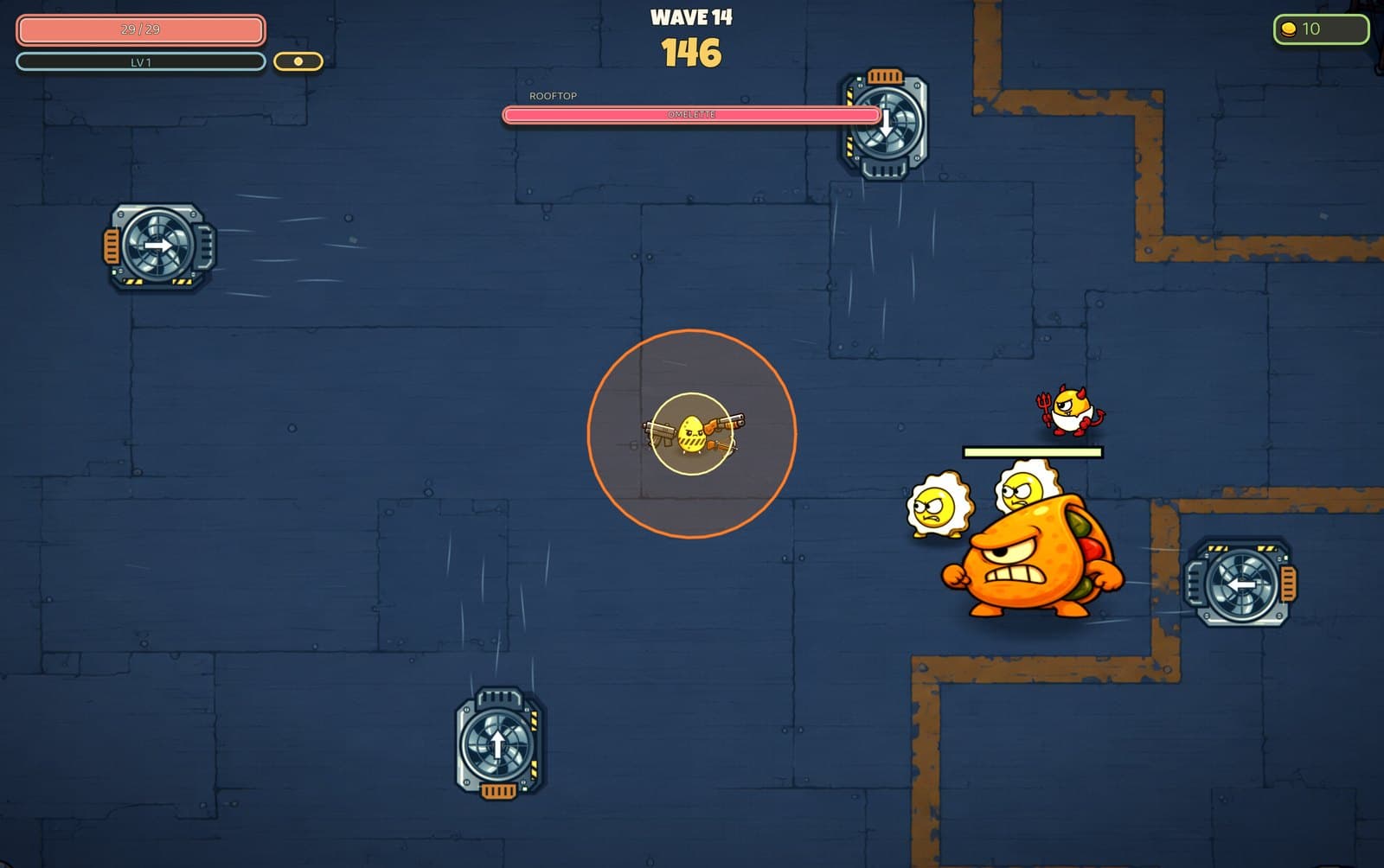
  • The Omelette boss on the Rooftop on wave 14

    The Omelette

    The Omelette arrives on wave 14 in 2D Survival. Bosses show where they are about to charge or land before they do it, so you have a moment to get out of the way.

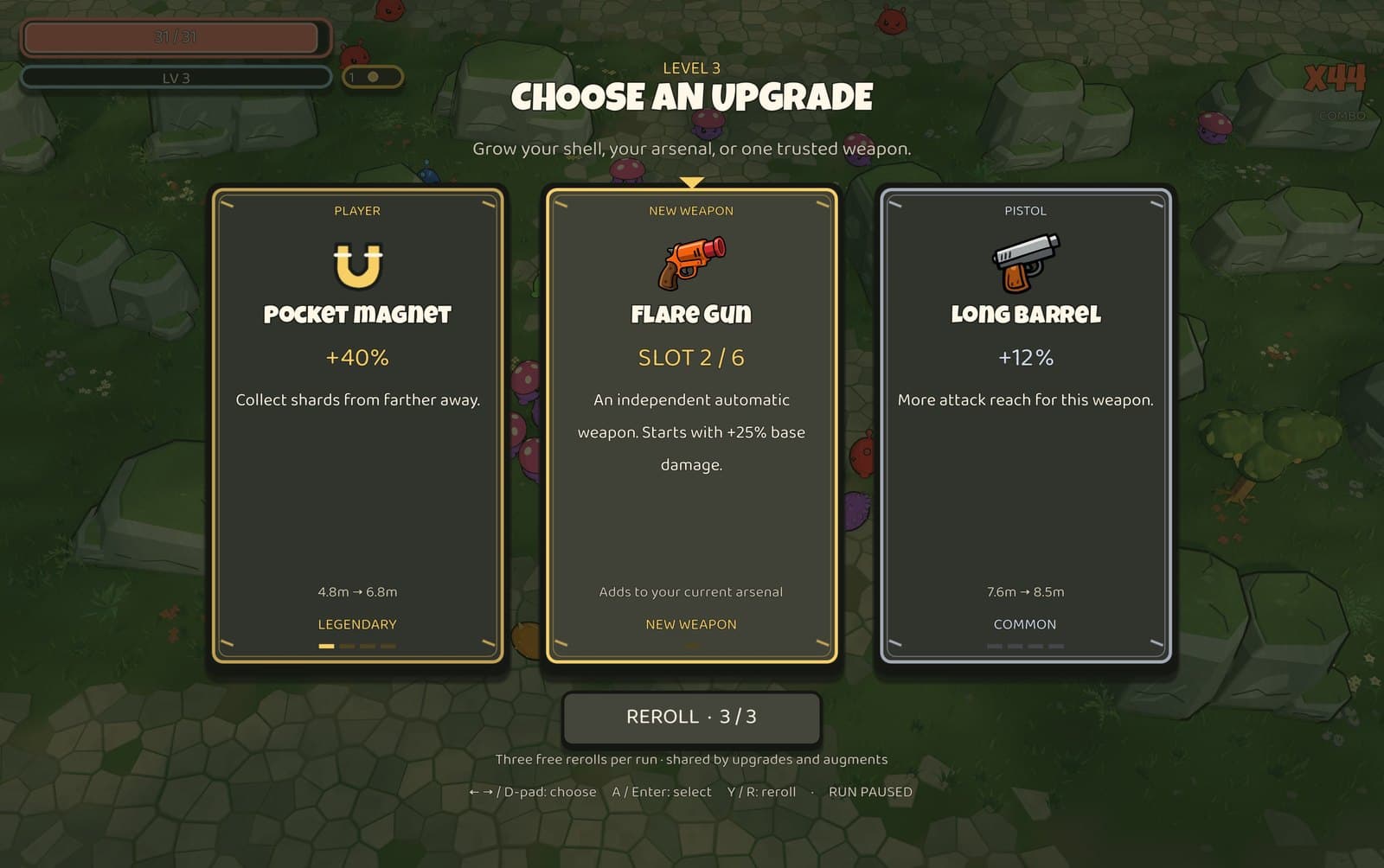
  • The Adventure level-up screen offering three upgrades, including a new Flare Gun

    Adventure upgrades

    In Adventure, each level up offers three upgrades. Every three levels a new weapon slot opens.

  • A mid-wave event on the Space Station with conveyor belts

    Mid-wave events

    Horde rushes, meteor showers and other events can hit partway through a wave. A banner warns you before they start.

Version 3.5.0 · Sep 22, 2026

Download

Eggcentric is in alpha and free to download. A Steam release is coming; until then, this page and GitHub are where to get the game. There is no installer and no account. Download the zip for your system, unzip it, and run the game. The builds are not code-signed yet, so Windows and macOS will show a warning the first time you open it. The steps under each download explain how to get past it.

  • Windows

    Windows 10 / 11, 64-bit

    Download656 MB
    1. 1Unzip the download.
    2. 2Double-click Eggcentric.exe.
    3. 3If Windows shows a blue "Windows protected your PC" box, click More info, then Run anyway. This happens once because the build is not code-signed.
    SHA-256
    d8f257aca36566130e998ba3ab1e3f6b12010d99b2439ac1c8d234d8fee53aa6
  • macOS

    Intel and Apple Silicon

    Download680 MB
    1. 1Unzip the download and move Eggcentric.app to Applications.
    2. 2Right-click the app and choose Open, then click Open in the prompt. This is only needed the first time.
    3. 3If macOS says it cannot verify the developer, open System Settings, Privacy & Security, and click Open Anyway.
    SHA-256
    7c7599874b39d704fe099fd85846f0f2816a80cb1c855917c6a381e753a087d9
  • Linux

    x86_64, native build

    Download647 MB
    1. 1Unzip the download.
    2. 2Run ./Eggcentric.x86_64 from the folder.
    3. 3If it will not launch, mark it executable first: chmod +x Eggcentric.x86_64
    SHA-256
    3118186f6a1b629dff58146451db80ef60cc5b6e32d631ec707275ad7a23205b

All builds and older versions are on the GitHub releases page. The game can also update itself from Settings in the Hatchery.

Steam Deck

Runs great on Steam Deck

Eggcentric has a native Linux build, so it runs on Steam Deck without Proton. The interface is designed for the Deck's 16:10 screen and a controller. Here is how to add it to your Steam library.

The Eggcentric Hatchery home screen
Download the Linux build
  • The interface is designed for a 16:10 screen and a controller.
  • Controller support uses the default Gamepad layout.
  • The game can update itself. Open Settings in the Hatchery and choose Check for Updates.
  • Keep the game in a folder you have write access to so the updater can replace files.
  1. 1

    Switch to Desktop Mode

    Hold the Power button and choose Switch to Desktop, or open the Steam menu, then Power, then Switch to Desktop.

  2. 2

    Download the Linux build

    Open a browser in Desktop Mode and download Eggcentric-Linux.zip. Save it somewhere permanent, like a folder in Home.

  3. 3

    Extract the zip

    Right-click the zip and choose Extract Here. The folder contains Eggcentric.x86_64 and a .pck file. Keep them together.

  4. 4

    Mark it executable if needed

    Right-click Eggcentric.x86_64, open Properties, then Permissions, and check Is executable. On most Decks this is already set.

  5. 5

    Add it to Steam

    In Steam, choose Games, then Add a Non-Steam Game to My Library. Click Browse, change the file type filter to All Files, pick Eggcentric.x86_64, and click Add Selected Programs.

  6. 6

    Return to Gaming Mode

    Double-click Return to Gaming Mode on the desktop. Eggcentric will be in your Library under Non-Steam Games.

Changelog

What's new in 3.5.0

One Hatchery, two ways to survive

Version 3.5.0 · Released Sep 22, 2026

Full notes on GitHub
  • New Hatchery home screen. Pick your egg, then choose Survival or Adventure.
  • Survival can be played in 2D or 3D. Unlocks, Pantry upgrades, Egg Cartons, achievements and records carry across both.
  • Adventure is a 12-minute 3D expedition through the Rocklands with objectives, a final guardian and an extraction horde.
  • All 12 eggs have been redrawn.
  • Fusion works correctly in 3D Survival.
  • Dungeon Run is now a standalone preview in Extras. Daily Run has been removed.

Every release, with notes and checksums, is on the full releases page.